导航 返回软件工程分类
SpringBoot是Spring的一个子项目,是为了简化Spring的配置而诞生的。
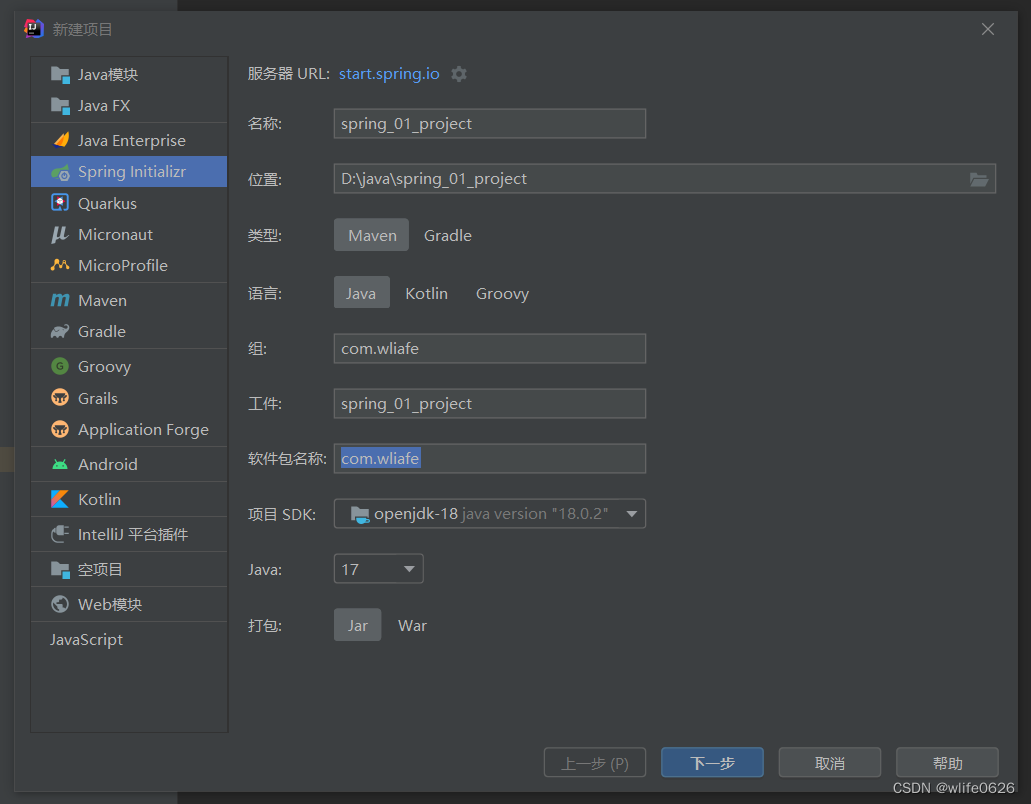
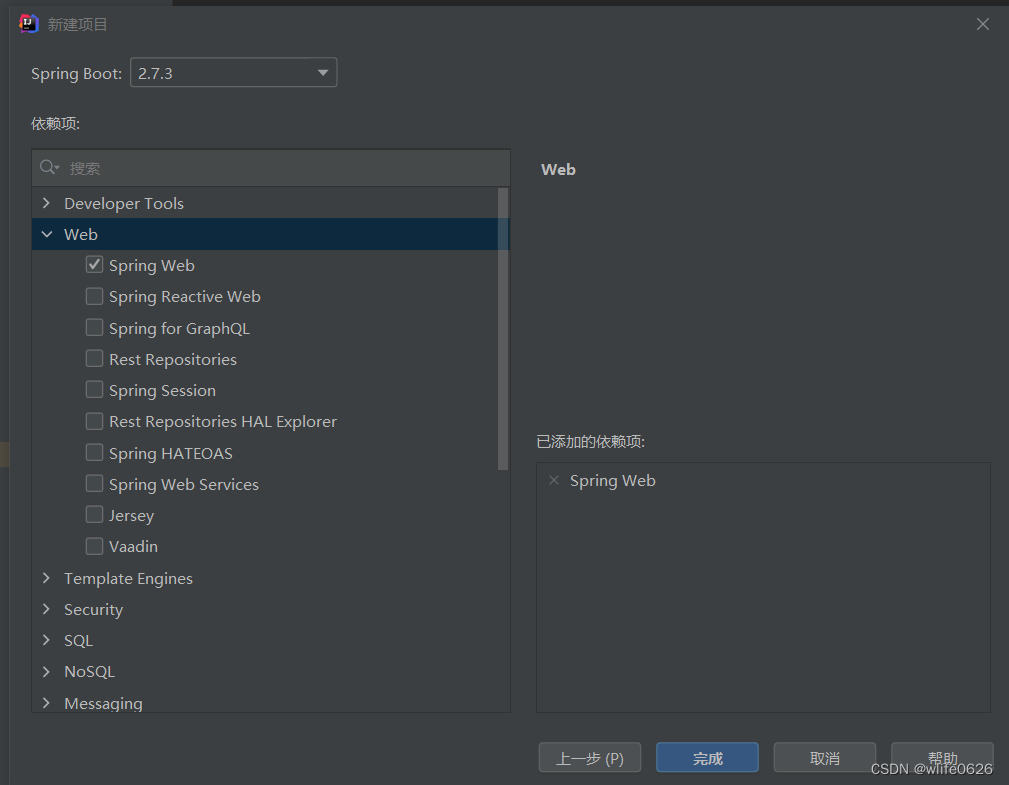
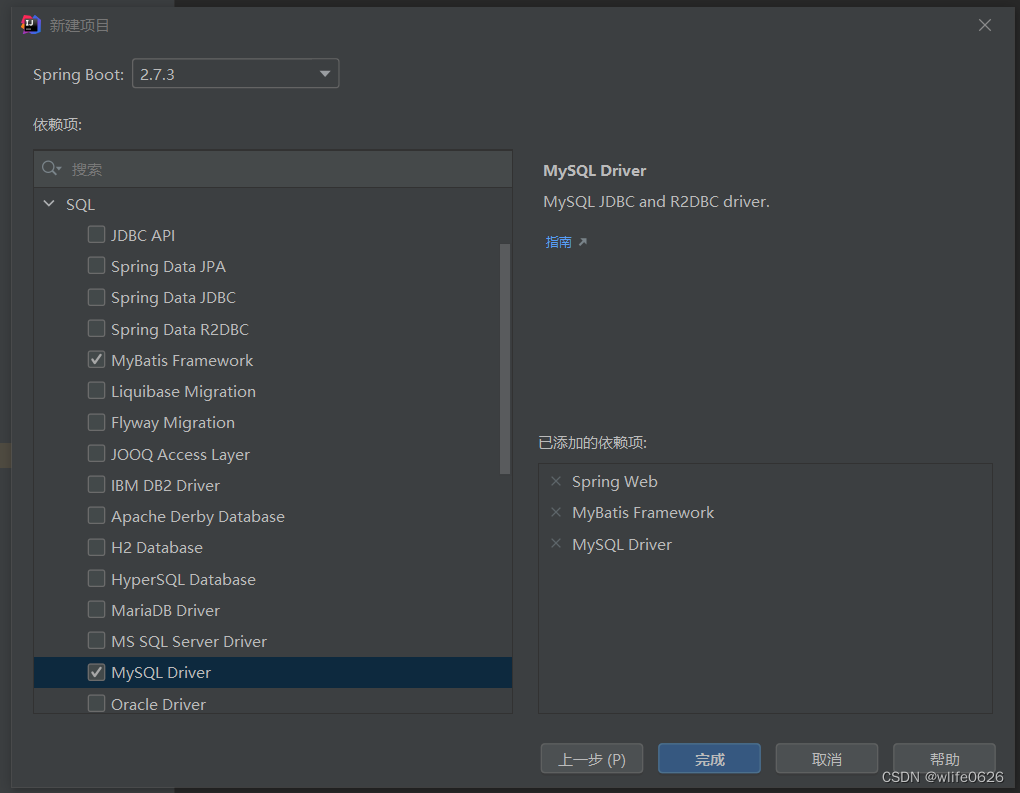
第一个项目 项目创建
文件编写 下面是早期Spring Boot项目的CRUD学习片段,省略了建表、依赖和认证配置,不能直接作为生产账号系统。真实密码必须在service层用PasswordEncoder等专用密码哈希工具处理,不能明文保存;读接口也不应返回密码或密码哈希。数据库使用最小权限账号,连接信息从环境配置读取。
application.yml 1 2 3 4 5 6 spring: datasource: driver-class-name: com.mysql.cj.jdbc.Driver url: ${DB_URL} username: ${DB_USERNAME} password: ${DB_PASSWORD}
User.java 1 2 3 4 5 6 7 8 9 10 11 12 13 14 15 16 17 18 19 20 21 22 23 24 25 26 27 28 29 30 31 32 33 34 35 36 37 38 39 40 import com.fasterxml.jackson.annotation.JsonProperty;public class User implements Serializable { private Integer id; private String name; @JsonProperty(access = JsonProperty.Access.WRITE_ONLY) private String password; @Override public String toString () { return "User{" + "id=" + id + ", name='" + name + '\'' + '}' ; } public Integer getId () { return id; } public void setId (Integer id) { this .id = id; } public String getName () { return name; } public void setName (String name) { this .name = name; } public String getPassword () { return password; } public void setPassword (String password) { this .password = password; } }
UserMapper.java 1 2 3 4 5 6 7 8 9 10 11 12 13 14 15 16 17 18 @Mapper public interface UserMapper { @Insert("insert into users(name,password) values(#{name},#{password})") void save (User user) ; @Delete("delete from users where id = #{id}") void delete (Integer id) ; @Update("update users set name= #{name},password= #{password} where id= #{id}") void update (User user) ; @Select("select * from users") List<User> findAll () ; @Select("select * from users where id = #{id}") User findById (Integer id) ; }
UserService.java 1 2 3 4 5 6 7 8 9 10 11 public interface UserService { boolean save (User user) ; boolean update (User user) ; boolean delete (Integer id) ; User findById (Integer id) ; List<User> findAll () ; }
UserServiceImpl.java 1 2 3 4 5 6 7 8 9 10 11 12 13 14 15 16 17 18 19 20 21 22 23 24 25 26 27 28 @Service public class UserServiceImpl implements UserService { @Autowired private UserMapper userDao; public boolean save (User user) { userDao.save(user); return true ; } public boolean update (User user) { userDao.update(user); return true ; } public boolean delete (Integer id) { userDao.delete(id); return true ; } public User findById (Integer id) { return userDao.findById(id); } public List<User> findAll () { return userDao.findAll(); } }
UserController.java 1 2 3 4 5 6 7 8 9 10 11 12 13 14 15 16 17 18 19 20 21 22 23 24 25 26 27 28 29 30 31 32 33 34 35 @RestController @RequestMapping("/users") public class UserController { @Autowired UserService userService; @PostMapping public boolean save (@RequestBody User user) { userService.save(user); return true ; } @PutMapping public boolean update (@RequestBody User user) { userService.update(user); return true ; } @DeleteMapping("/{id}") public boolean delete (@PathVariable Integer id) { userService.delete(id); return true ; } @GetMapping("/{id}") public User findById (@PathVariable Integer id) { return userService.findById(id); } @GetMapping public List<User> findAll () { return userService.findAll(); } }
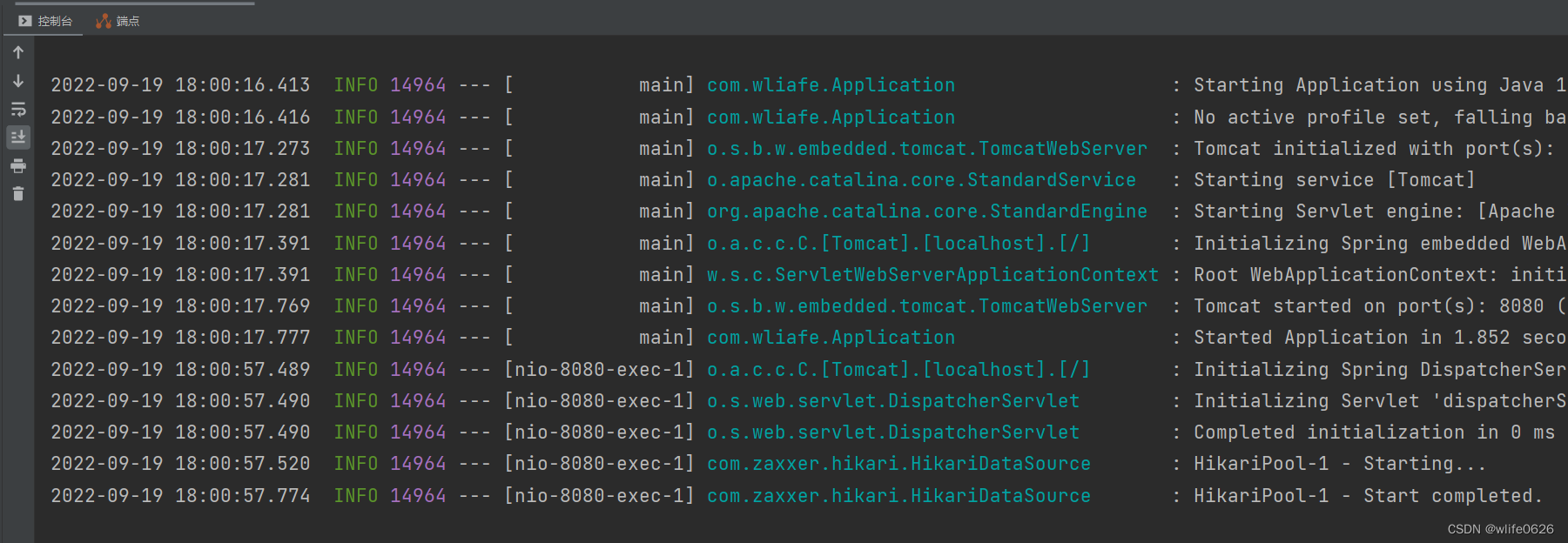
运行
多环境配置 开发SpringBoot应用的时候,通常程序需要在测试环境测试成功后才会上线到生产环境。而测试环境和生产环境的数据库地址、服务器端口等配置都不同。在为不同环境打jar包时,需要频繁的修改application.yml配置文件,十分麻烦。
可以采用创建多个配置文件的方法解决这一问题。
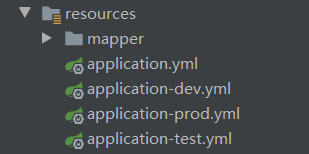
创建以下三个文件,配置不同环境的地址信息,存放在application.yml同一目录下:
application-dev.yml:本地开发环境
application-test.yml:测试环境
application-prod.yml:生产环境
其中application.yml存放公共配置,可通过spring.profiles.active选择环境,也可以用环境变量SPRING_PROFILES_ACTIVE或启动参数覆盖。spring.profiles.active应放在公共配置中,不能放进application-dev.yml等特定profile文件,见Spring Boot Profiles文档 。
application.yml 1 2 3 4 5 spring: profiles: active: dev application: name: data-transceivers
application-test.yml 1 2 3 4 5 spring: kafka: bootstrap-servers: 10.10 .5 .70 :6667,10.10.5.71:6667,10.10.5.72:6667 server: port: 8312
application-prod.yml 1 2 3 4 5 spring: kafka: bootstrap-servers: 10.10 .2 .92 :6667,10.10.2.93:6667,10.10.2.94:6667 server: port: 8312
SpringBoot启动报错 报错内容
danger
1
2
3
java.lang.IllegalStateException: Failed to load property source from 'file:/D:/IDEA/spring-cloud/sp05-eureka/target/classes/application.yml' (classpath:/application.yml) Caused by: org.yaml.snakeyaml.error.YAMLException: java.nio.charset.MalformedInputException: Input length = 1
错误原因 出现这个的原因,就是解析yml文件时,中文字符集不是utf-8的原因,
但是通过cmd命令,mvn clean compile后,项目又可以成功运行
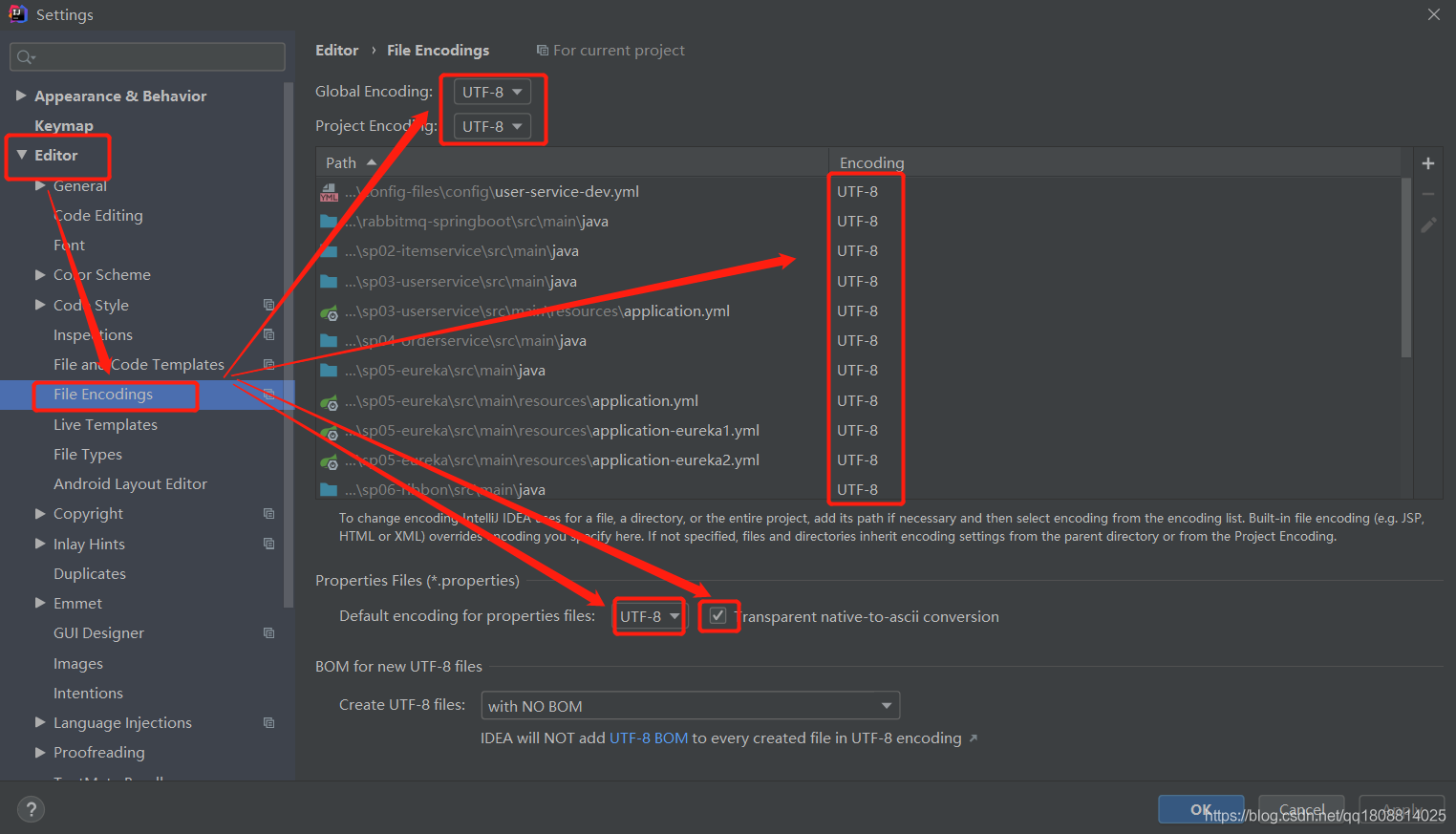
当时使用Eclipse和IDEA测试后,问题定位到构建与文件编码不一致。Maven并不是固定默认使用GBK;未指定编码的相关插件可能依赖平台默认编码,详见Maven编码说明 。
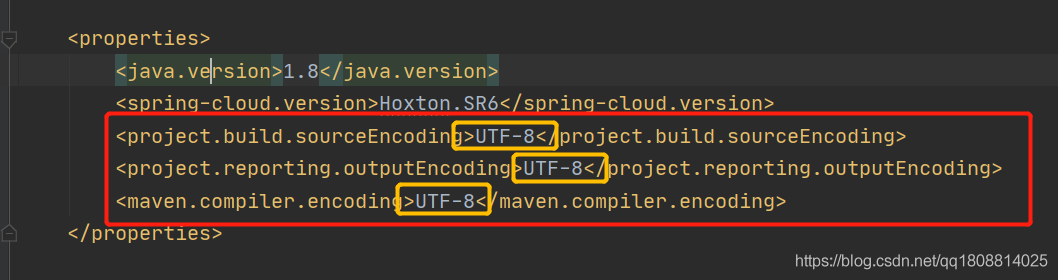
检查pom文件 先确认源文件本身保存为UTF-8,再统一相关构建插件的编码。下面保留旧项目的Java 8和Hoxton版本,仅作历史配置示例;不能直接套到要求Java 17及以上的Spring Boot 3项目。
pom.xml 1 2 3 4 5 6 7 <properties > <java.version > 1.8</java.version > <spring-cloud.version > Hoxton.SR6</spring-cloud.version > <project.build.sourceEncoding > UTF-8</project.build.sourceEncoding > <project.reporting.outputEncoding > UTF-8</project.reporting.outputEncoding > <maven.compiler.encoding > UTF-8</maven.compiler.encoding > </properties >
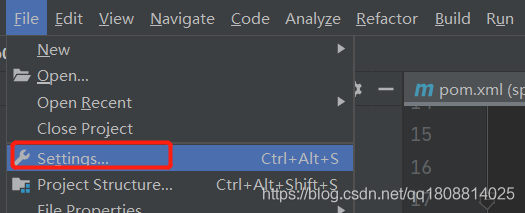
修改编码格式
然后重新启动项目!!!!
最不应该出现的错误 直接修改后缀名不会改变文件编码,也不会自动使内容成为有效YAML。应检查真实编码和YAML语法,再用编辑器转换并保存为UTF-8;重新建文件只是可能的操作方式,不能保证解决所有解析错误。
总结 新旧项目都可能因编辑器、构建环境或文件编码变化出现这类问题,应统一编码并检查构建后的资源文件。